YouTube AI Dubbing & Translation
Hear Any Video in Your Own Language
AutoDub translates and dubs any foreign-language YouTube video, so you hear it in your own language.
AI dubbing & translation · Bilingual subtitles · 90+ natural voices · Automatic language detection
Free, No Daily Limit · One-Click Install · 42 Dubbing Languages
Works on YouTube · Chrome, Edge, Brave · Firefox version available
How It Works
Install
One click from the Chrome Web Store
Pick your language
Click the AutoDub button in YouTube's player controls — the original language is detected automatically
Press play
The AI dub starts with the video, translated subtitles on screen
See AutoDub in Action
Watch our full demonstration of real-time AI dubbing with bilingual subtitles
See It on Real Videos
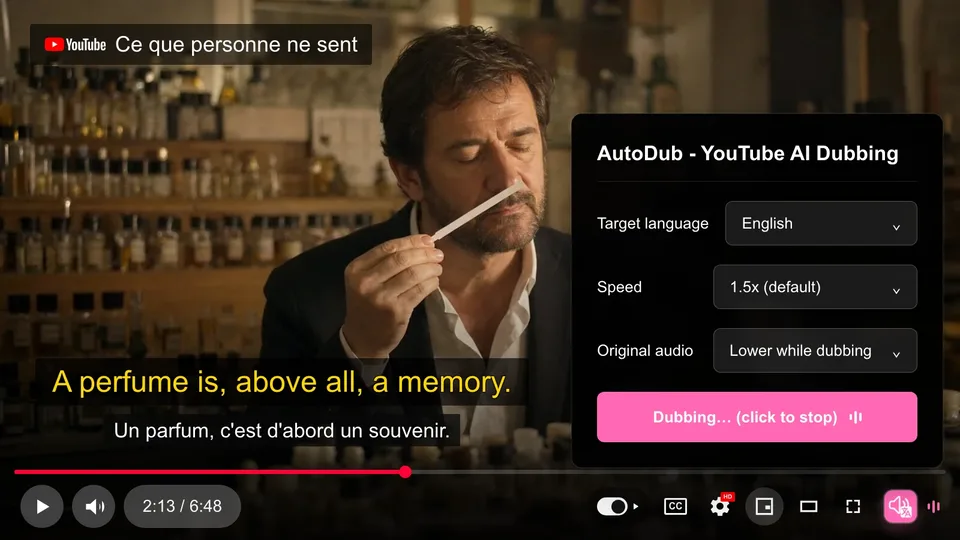
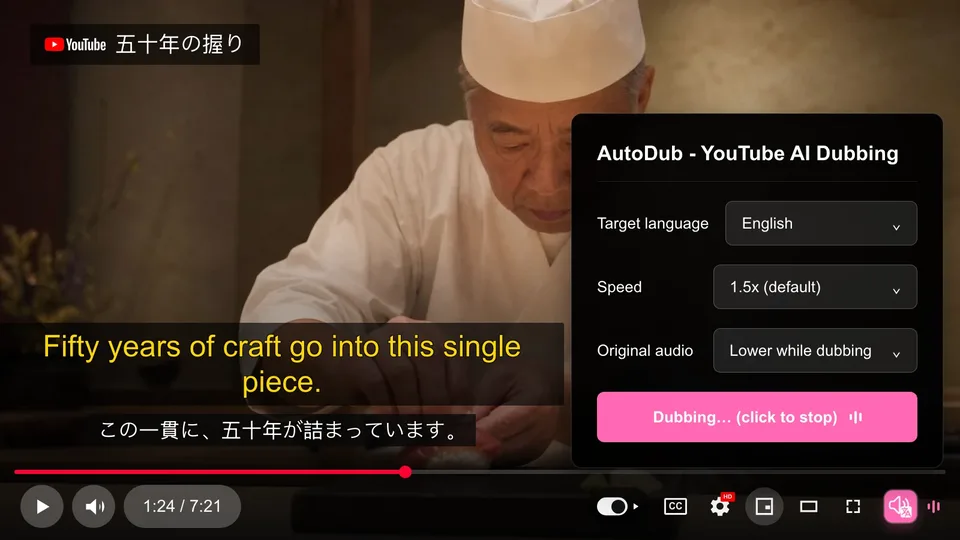
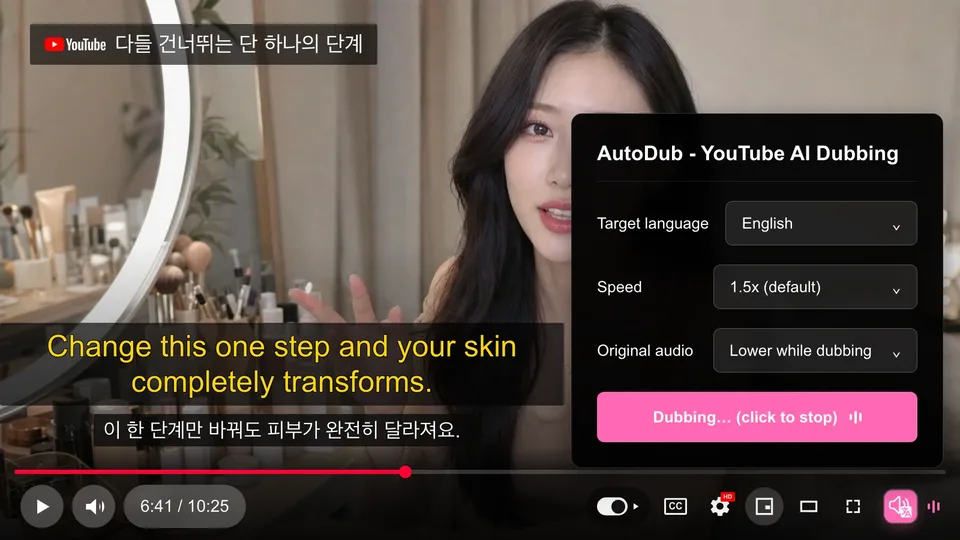
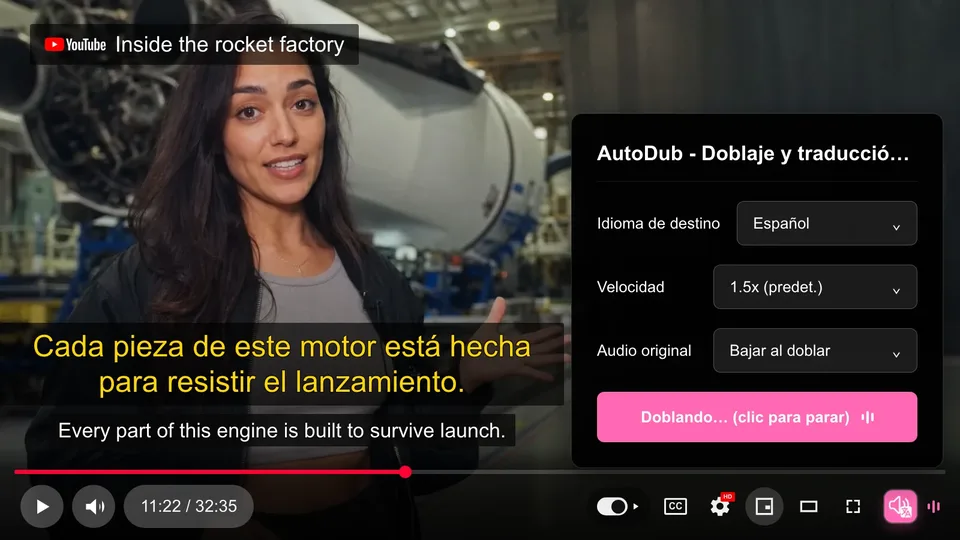
The AutoDub panel sits right in the YouTube player. Pick a language, and the AI dub plays with translated subtitles on top of the original.
Made for Every YouTube Viewer
The YouTube dubbing extension for coding tutorials, lectures, documentaries, and more
Programming Tutorials
Learn from Fireship, ThePrimeagen, Traversy Media and more. Now in your language.
Educational Content
Watch Veritasium, Kurzgesagt, 3Blue1Brown. All dubbed in your language.
Lifestyle Vlogs
Travel vlogs, cooking shows, lifestyle content from creators worldwide
Business & Finance
Y Combinator talks, startup advice, market analysis from global experts
Podcast Interviews
Long-form interviews from Lex Fridman, Joe Rogan, and more. Finally accessible.
Documentaries & Films
Watch documentaries, short films, and video essays from creators worldwide
Whatever you watch, we translate.
What Viewers Say
Real reviews from the Chrome Web Store and Firefox Add-ons
finally found what I was looking for. the best extension I’ve tried.
I am shocked how well it works. You have to give it time to translate the audio first.
Funciona perfeitamente, amo essa extensão, ajudando a romper barreiras linguísticas! Obrigado!
Works perfectly, I love this extension, helping break down language barriers! Thank you!
excelente ayuda
excellent help
رغم انه مجاني يضاهي المدفوع من اروع الاضافات التي استعملها
Even though it’s free, it rivals the paid ones — one of the best extensions I use.
…Но это пока единственное расширение которое работает
… But so far it’s the only extension that actually works
Frequently Asked Questions
Everything you need to know about AutoDub
AutoDub is free for personal use today, with no usage limits. If we ever introduce optional paid features, we'll announce it clearly in advance — nothing will change quietly.
AutoDub dubs videos into 42 languages, including English, Chinese, Japanese, Korean, Spanish, Portuguese, French, German, Russian, Arabic, Hindi, Indonesian and Ukrainian. The source video can be in any language — AutoDub detects it automatically.
AutoDub runs on Google's latest AI models for translation, paired with natural, lifelike neural voices. Technical terms are handled well, and quality keeps improving as the models improve.
AutoDub is optimized to have almost no impact on video playback. Translation processing happens in the background, ensuring you enjoy a smooth viewing experience.
AutoDub is built specifically for YouTube, where it works best. We're exploring other platforms. Follow us for updates.
AutoDub works on Chrome, Edge, Brave and other Chromium-based browsers. A Firefox version is available on Firefox Add-ons. Safari isn't supported.
To dub a video, its captions are processed on our servers — that's what makes translation possible. The current extension requires no account or sign-in, and we don't sell your data. Results are cached per video, not per user. Details are in our privacy policy.
AutoDub requires an internet connection for AI-powered translation. The processing is fast and works even on slower connections.
You can get support through the feedback feature in the extension, send emails to hi@autodub.net, or visit our help center. We usually reply within 24 hours.
Check that you’re watching a regular YouTube video in desktop Chrome, Edge, Brave or Firefox — live streams and the YouTube mobile app aren’t supported. Reload the page and turn AutoDub on again. If dubbing still doesn’t start, try another video.